


TLDR: OpenAI launched dots at DevDay on 29 September 2026: always-on agents with their own cloud computer and browser, built on GPT-6 Astra, able to connect to more than 4,000 apps, rolling out to ChatGPT Pro and Business Premium. Personal Pro access excludes the UK, the European Economic Area and Switzerland at launch, with no date given for closing that gap. A dot reaches your business through three doors: its own browser out on the open web, the apps already connected to a user's account, and whatever it has already learned from earlier sessions, and OpenAI has not published a ranking formula for any of them. Hands-on reviews find a cautious agent that checks in before it books or buys, not a one-click shopper. The winning position is unglamorous: be readable without guessing, reachable without friction, and correct without anyone having to check.
On 29 September 2026, during its DevDay keynote in San Francisco, OpenAI introduced something that does not behave like a chatbot. A dot does not wait for the next message. It keeps a goal, works on it in the background, checks back when it needs a decision from you, and is still there the next morning having made progress while you slept.
That is a different kind of visitor to deal with than a person scrolling, or even a crawler indexing. Here is what a dot actually sees when it reaches your business, what OpenAI has confirmed about how that works, what remains genuinely unpublished, and what to fix in the next 30 days so the answer is yes when a dot is deciding on your customer's behalf.
How big is this, really?
Early, but not a toy. Treat the numbers below as a snapshot of a product still rolling out, not a settled market.
| Signal | Figure | Source |
|---|---|---|
| Launch | 29 September 2026, DevDay, San Francisco | TechCrunch, 9to5Mac |
| Model | GPT-6 Astra | TechCrunch |
| App connectors | More than 4,000 apps through ChatGPT's existing plugin ecosystem | 9to5Mac, TheNextWeb |
| Access points | ChatGPT (desktop, web, mobile) and Codex; Slack and Microsoft Teams; direct texting "coming soon" | TechCrunch, TheNextWeb |
| Pricing | First dot included at no extra cost with ChatGPT Pro and Business Premium; conversations with a dot do not draw down separate usage limits | ITBrief |
| Pro availability | Rolling out to eligible markets, excluding the UK, the European Economic Area and Switzerland at launch | ITBrief, Flavio Copes, FourWeekMBA |
| Business Premium availability | Available in all ChatGPT-supported regions, including the markets excluded for Pro | ITBrief, FourWeekMBA |
| Enterprise, Edu, Healthcare | Beta, off by default, enabled per workspace by an administrator | Flavio Copes |
Nobody has published adoption numbers for dots the way Meta disclosed early Muse downloads. What's confirmed instead is the shape of the product: a persistent agent, not a single reply, aimed first at the people already paying the most for ChatGPT.
How does a dot actually reach your business?
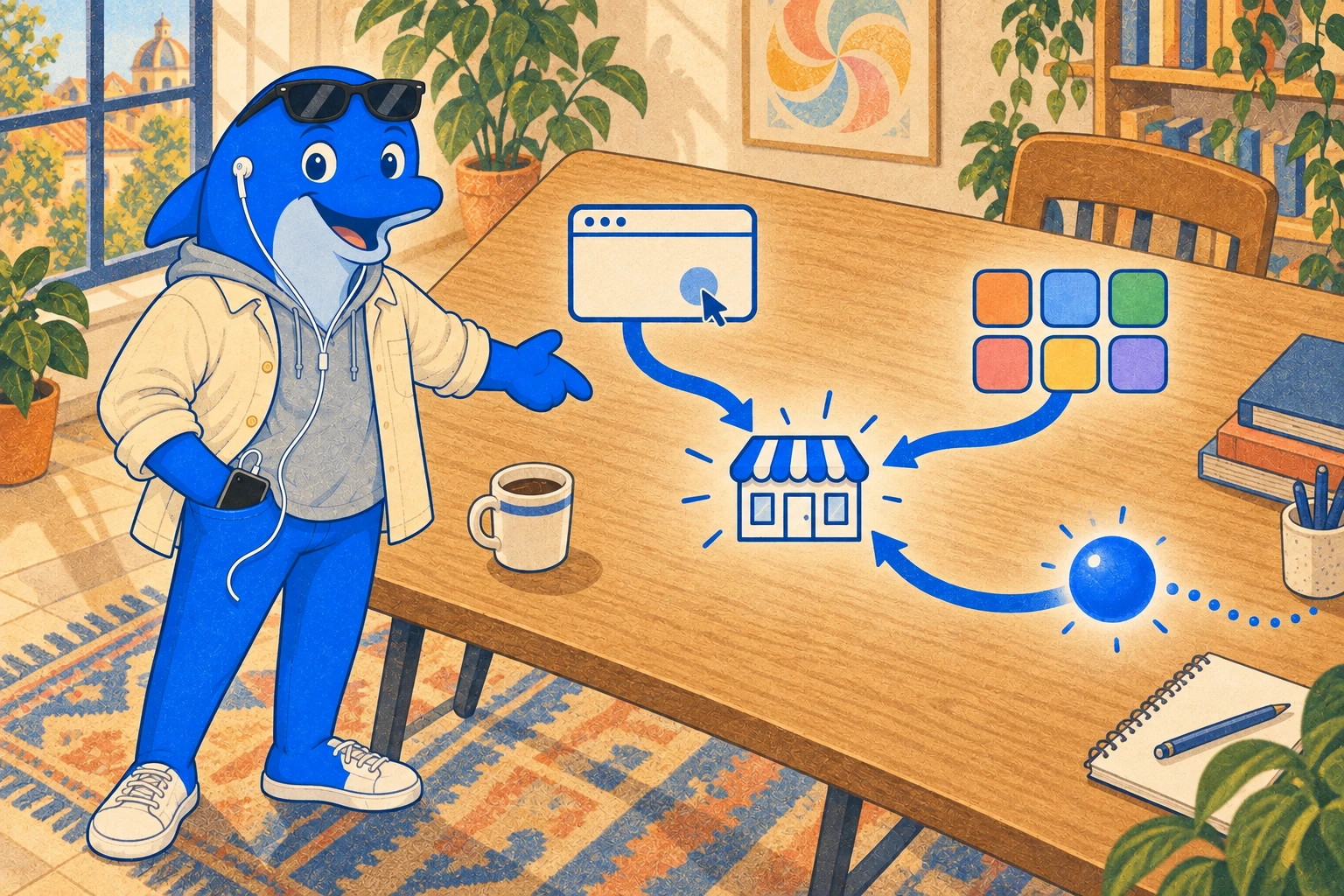
Three routes, and none of them behaves like a search crawler or a shopping feed you register with.
Through its own browser
Each dot runs on its own isolated cloud computer, with its own browser, separate from the user's device. It opens your site and acts there directly, the way a person would, rather than requesting a feed from you. Meta published a specific rendering spec for Muse's browser sub-agent: an accessibility-tree snapshot with no in-page JavaScript execution. OpenAI has not published the equivalent spec for a dot's browser specifically. What is confirmed is narrower: a dot's memory does not retain screenshots or images, and sign-in to a site uses a protected flow that never exposes the password itself to the model. What a dot's browser actually parses when it lands on your page, pixel by pixel, is not something OpenAI has documented for dots the way Meta did for Muse. Treat any claim you read online about dots reading "the accessibility tree" or "the DOM" as inference from OpenAI's general computer-use architecture, not a confirmed Dots-specific statement, because that is exactly what it is.
Through the apps it already has
Dots connect through the same plugin and connector system the rest of ChatGPT already uses, reported at more than 4,000 apps. This is not a Dots-exclusive integration layer. Separately from dots, OpenAI added live restaurant booking through Yelp, OpenTable and Resy to ChatGPT on 10 August 2026, letting a user find and reserve a table inside the same chat. That single example matters beyond restaurants: it shows OpenAI is actively building transactional connectors into the same ecosystem a dot draws on, not just informational ones. If your booking, ordering or scheduling system already has, or ever builds, a ChatGPT connector, a dot acting for your customer can use it directly rather than reading your page and guessing.
Through what it remembers
A dot accumulates memory from conversations, from connected apps, and from background research it runs on its own between sessions, forming memories "even when you haven't asked a specific question," as OpenAI's own product documentation states. That memory persists and shapes future decisions. One practical consequence cuts against brands: a user currently cannot view, delete or directly edit an individual memory a dot has formed. Deleting the entire dot is the only way to clear its accumulated context, though files, Codex threads and separate ChatGPT conversations it created survive that deletion. A bad first interaction with your business, correctly or incorrectly reasoned, does not have an obvious way to be corrected later except by the user starting over completely.
What does a dot actually see, and what's still not published?
Separating the two matters more here than for an established product, because the SEO-farm content already circulating about dots is full of confident claims nobody can check.
Confirmed, directly from OpenAI or corroborated by multiple independent outlets:
- Each dot has its own cloud computer and browser, isolated from other users' environments and from the local device unless a user explicitly connects one.
- A dot's memory does not retain images or screenshots.
- Credentials are never exposed to the model; sign-ins use a protected flow.
- A layered permission system exists: isolation, credential opacity, read-only access during unprompted background research, configurable rules for which actions need approval, and an automatic review step for sensitive actions. Password changes and money transfers always require the user directly.
- Plugin and connector permissions are inherited across a ChatGPT account rather than scoped freshly to each dot, so a connection approved months ago for an unrelated purpose carries over silently.
- OpenAI reports internal adversarial testing found zero successful attacks across 16,600 simulated prompt-injection emails and 2,638 adversarial attempts, alongside a measured "scope violation" rate of roughly 9 to 20 percent across tested task chains. OpenAI's own documentation, as quoted by the outlet that reported this, does not claim prompt injection is solved.
Not published, as of this research:
- No Dots-specific rendering specification. Unlike Meta's documented accessibility-tree approach for Muse, OpenAI has not stated exactly how a dot's browser parses a page.
- No disclosed ranking, scoring or weighting formula for how a dot chooses between two businesses that both plausibly satisfy a request.
- No documented, Dots-specific user agent string for its own browsing activity.
- No date for extending personal Pro access to the UK, the European Economic Area or Switzerland.
If a source claims to know the exact mechanism or the exact weighting, ask where OpenAI actually said so. In most cases, as of this writing, it has not.
What do the first hands-on reviews actually find?
Early testing lines up on one point: dots are more careful than fast, especially once money or a booking is involved.
A 24-hour hands-on test found a dot useful for drafting email replies, flagging urgent messages and updating schedules, but it also hit occasional technical glitches, struggled with some tools, and lost track of context on longer, multi-step work. A separate structured review scored dots highly on safety and poorly on speed for exactly the reason the permission system above would predict: a shuttle-booking task needed three separate approval steps before it completed, and the same dot could not autonomously retrieve a two-factor code from an inbox it already had read access to, because that falls outside what read-only background access is allowed to do.
That pattern is good news for a business that gets the basics right, and bad news for one that depends on friction working in its favour. A dot that pauses to confirm is a dot that needs your checkout, your booking form or your contact flow to be simple enough to confirm quickly. Three unnecessary steps on your side becomes three additional approval prompts a user has to answer on theirs, and each one is a chance for the task to stall or get abandoned.
Can you track it, or block it?
Not cleanly, and the reason is structural rather than an oversight you can file a ticket about.
No source checked documents a distinct user agent string for a dot's own browsing, the way GPTBot or OAI-SearchBot identify themselves in your logs. OpenAI's crawler documentation already draws a sharper line that bears on this: in a December 2025 revision, OpenAI removed language stating that ChatGPT-User, its on-demand fetcher triggered by a live user action, complies with robots.txt, replacing it with the position that "because these actions are initiated by a user, robots.txt rules may not apply." No source confirms dots are classified identically to ChatGPT-User, so treat this as reasoning from OpenAI's documented categories rather than a confirmed statement about dots specifically. But the direction is clear enough to plan around: a dot acting on a real person's explicit instruction is not the same category of visitor as a training crawler, and a disallow rule written for the latter may not be the lever you think it is for the former.
What you can actually do instead:
- Treat a dot's visit as a customer's visit, because that is functionally what it is. Blocking it blocks someone who already chose you.
- Watch your server-side and connector-side events, not just your on-page analytics. A transaction completed through a connector, or a page read by a browser that never fires your client-side pixel, will not show up where you are used to looking.
- Ask the question yourself. Put your own business into a ChatGPT conversation and ask the questions a customer would ask before handing a dot a task. What gets named, what gets quoted correctly, and what gets missed is the most honest signal available right now.
How does this compare with Meta Muse and Instinct?
All three launched or relaunched within weeks of each other in September 2026, and all three ask a business to think about being chosen by software rather than found by a person. They are not the same problem.
| Meta Muse | Instinct | ChatGPT dots | |
|---|---|---|---|
| What it is | A personal shopping-and-tasks agent inside Meta's ecosystem | An invite-only assistant reached by text or phone call | An always-on agent living inside ChatGPT, Codex, Slack and Teams |
| How it reaches you | A product catalogue feed, its own browser, and connected accounts | Your website, booking flow, inbox, messaging and phone line, like a human assistant | Its own browser on the open web, the apps already connected to the user's account, and its accumulated memory |
| Where you register | A Shopify or Meta catalogue channel | Nothing published | Nothing published; dots use ChatGPT's existing 4,000-plus connector ecosystem |
| Confirmed rendering detail | Documented: an accessibility-tree snapshot, no in-page JavaScript execution | Not published | Not published for dots specifically |
| Documented launch-market gap | None documented | None documented | UK, EEA and Switzerland excluded for personal Pro access |
| Where a failure shows up | You're simply absent from the result | A confused receptionist, a lost booking | A paused task sitting in someone's approval queue |
Read both of the related guides for the full detail on each: our Meta Muse playbook and our Instinct playbook. If your business is specifically a restaurant or hospitality venue, our companion guide, How to Get Your Restaurant Recommended by ChatGPT Dots in 2026, covers the booking-flow and listings detail this general playbook does not.
What should a brand's policy be?
Three defaults, grounded only in what is actually confirmed above, not in a guess about a hidden ranking signal.
- Default to allow a user-directed agent. A dot only shows up because a person told it to. Treating that visit like unwanted traffic risks turning away someone who already picked you.
- Make the facts a dot needs available as plain text, not only inside an image, a script-rendered widget or a PDF. Since OpenAI has not published exactly how a dot's browser parses your page, the safest assumption is the same one that has applied to every other AI browsing agent so far: if a fact only exists as a pixel, do not assume it is being read.
- Reduce the number of confirmations a real transaction needs. The hands-on reviews above found dots pausing for approval at each uncertain step. A checkout, booking or contact flow with fewer unnecessary steps gives a cautious agent fewer places to stall or get abandoned.
The first 30 days
In order, because each step makes the next one worth doing.
- Read your own key pages as plain text. Strip the images, the scripts and the layout, and check whether the facts a customer needs (what you sell, what it costs, how to book it, where you are) survive as readable text on their own.
- Check your booking, ordering or contact flow for unnecessary confirmation steps. Count them. A dot that has to stop and ask a user three separate times is a task more likely to be abandoned before it reaches you.
- Check whether your transactional systems have, or could reasonably build toward, a connector into the ChatGPT ecosystem, the way OpenTable, Resy and Yelp already have for restaurant bookings. This is a longer-term technical decision, not a 30-day build, but worth scoping now.
- Write down your actual policy on AI agents acting for customers, even if it is one sentence: treat a user-directed agent as a customer, review logged activity periodically, and revisit the policy as OpenAI publishes more.
- Ask ChatGPT the questions your customers would ask, with and without a dot, and record what it gets right, what it gets wrong, and what it cannot find at all. That record, repeated monthly, is the only honest baseline available until OpenAI publishes more about how a dot actually chooses.
What this actually changes
A search result rewards the page that best matches a query at the moment someone looks. A dot is different: it can hold a goal open for hours or days, check back with the user only when it genuinely needs a decision, and act the moment conditions are right, whether or not a person is watching at that exact second.
That does not make traditional visibility irrelevant. It is still the reason a user names your business to the dot in the first place, or lets the dot discover you while it searches on their behalf. But once a dot is actually at your site or inside your booking flow, the job changes from being found to being usable: readable without a human squinting at a hero image, bookable without an unnecessary back-and-forth, and honest enough that the dot's confirmation step gives the user the same answer your page gave the dot.
Most of what is published about dots right now is still close to the launch date. Expect the confirmed list above to grow and the unpublished list to shrink over the next few months, and expect your own answer to "do we get chosen" to be something you have to keep checking rather than settle once. If you want a current read on how your own business actually shows up across ChatGPT, Perplexity, Claude, Gemini and Google AI Overviews rather than guessing from an article like this one, Schmitdy's free AI Search audit checks it directly, at no cost and with no obligation afterwards.
Sources
- OpenAI: Introducing dots, 29 September 2026.
- OpenAI Help Centre: Getting started with your dot.
- OpenAI Help Centre: Manage dots in ChatGPT workspaces.
- OpenAI Help Centre: Dots privacy, security, and safety FAQs.
- TechCrunch: OpenAI launches Dots, its bubbly agentic avatar, 29 September 2026.
- 9to5Mac: OpenAI makes 20+ announcements at DevDay, 29 September 2026.
- Al Jazeera: OpenAI launches 'dots,' personal AI assistant 'built to handle everything', 30 September 2026.
- TheNextWeb: OpenAI launches dots, always-on AI agents with their own cloud computers.
- Yahoo Tech: OpenAI launches dots, always-on AI agents in ChatGPT.
- ITBrief: OpenAI launches dots, always-on AI agents for work.
- FourWeekMBA: OpenAI Dots Builds Its Agent on a Permission Ladder.
- Flavio Copes: A deep dive into OpenAI dots.
- aiinterviewagents.com: How OpenAI Dots work.
- Gizmodo: With Dots, OpenAI Wants You to Stop Being Afraid of Its AI Agents.
- University-365: OpenAI Dots, always-on agents with their own cloud computer and memories you cannot read.
- Geeky Gadgets: ChatGPT Dots Review, First 24 Hours with the AI Agent.
- eesel.ai: OpenAI Dots review 2026, safety, speed, price, and who it fits.
- ppc.land: OpenAI revises ChatGPT crawler documentation with significant policy changes, 9 December 2025.
- Android Authority: ChatGPT can now help secure your spot at a restaurant, 10 August 2026.
- aivojournal.org: The Search Era Ends Where the Agent Begins.
- dev.to: OpenAI dots, explained from the docs, the permission model of an always-on agent.
The list above covers the 21 external sources checked. Our own Meta Muse and Instinct playbooks, and our companion restaurant guide to ChatGPT dots, are internal cross-links, not counted in that external total.


 Squarespace
 Webflow
 Sanity
 Shopify
 HubSpot