



TL;DR: Keep primary ownership of the profile estate inside the restaurant group. Give each user an individual account, use business groups to set access boundaries, grant agencies only the access their work needs, and require an approved change record for every branch edit, transfer and offboarding.
Ask Schmitdy to audit your multi-location AI-search setup.
By Marco Lobo
Last updated: 25 September 2026
A profile can be accurate today and still be badly governed. The risk appears when a former employee remains an owner, an agency controls the only primary account, or a head-office edit changes every venue before operations has checked it.
Google provides roles, business groups and ownership transfers. The operator still has to decide who holds control, how access is approved, and what evidence closes a change. These eight controls turn that decision into a routine.
What should the ownership model look like?
The restaurant group should control the primary ownership route. An employee using a company-managed Google Account should hold primary ownership, with at least one additional company owner to preserve operational access. The primary owner should not be an agency, a venue manager's personal account or a shared marketing login. Only the current primary owner can transfer that role; if it is unavailable, follow Google's applicable ownership-request or support process.
Google allows multiple owners but only one primary owner for an individual profile and for a business group. Owners can manage users. Managers can handle much of the day-to-day profile work, but cannot add or remove users or remove the profile. That difference is useful: ownership belongs with the company, while operational access follows the job.
Google also tells users to work through their own Google Accounts instead of sharing a password. Keep named access in the profile register. A shared login hides who made a change and makes offboarding harder.
Control 1: company-held primary ownership. Name the company role that owns the estate, the actual account holding it, and the additional company owner.
Control 2: two company owners. Keep a second authorised owner to preserve day-to-day management if one account is unavailable; this does not itself transfer primary ownership.
How should business groups divide a multi-location estate?
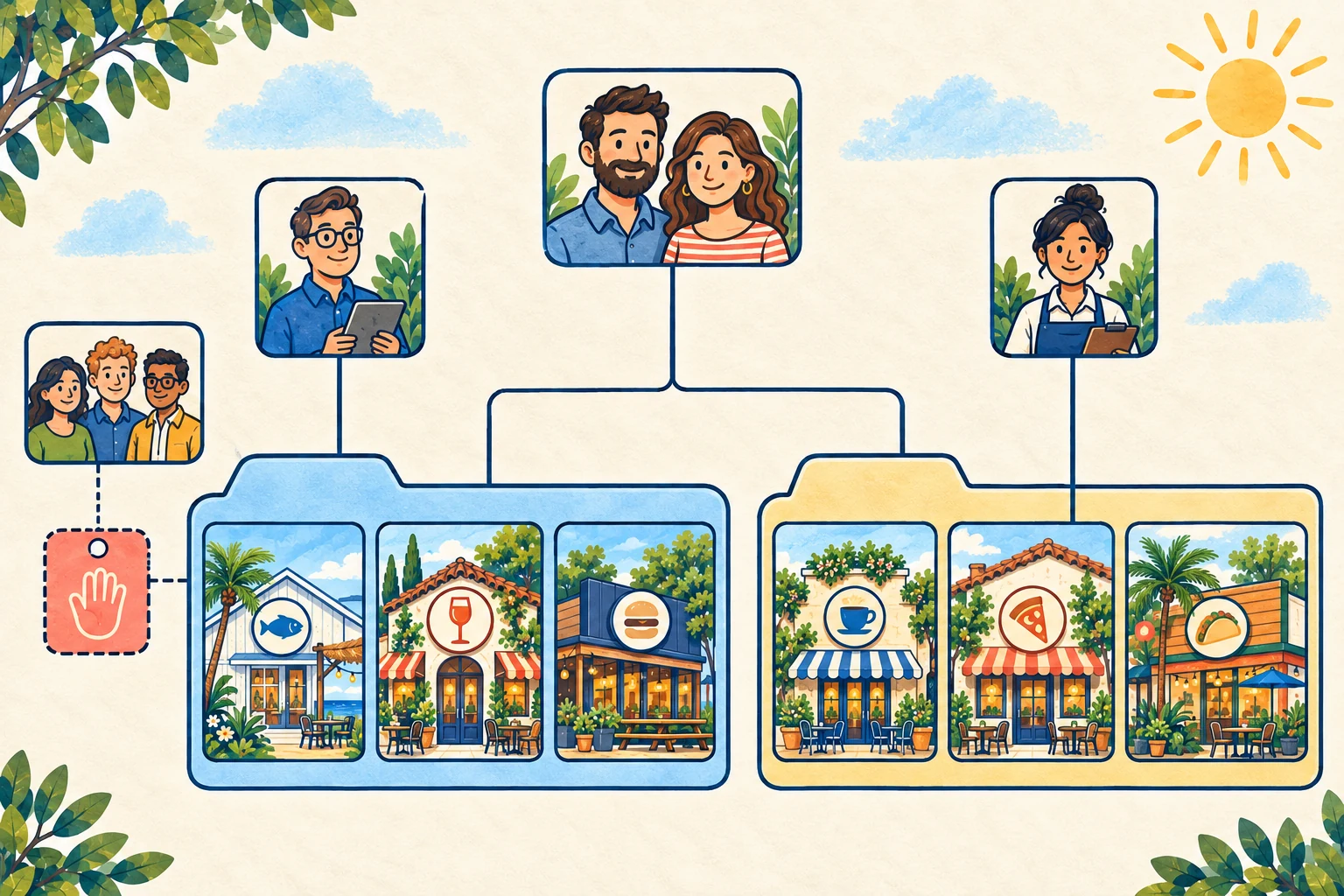
A business group is a shared container for profiles. Google recommends it where several people need to manage a set of businesses. A user added as an owner or manager of the group can access all current and future profiles placed in it, so the group boundary matters.
Start with one business group per brand when the same central team should manage every location. Create separate groups when brands, regions or operating partners need different access. Do not create a group for every branch by habit. More groups mean more ownership records, invitations and bulk files to maintain.
Use a simple test: should this person be able to edit every profile in this group? If the answer is no, narrow the group or give profile-level access to the specific location. Google notes that individual owners and managers can still be added to profiles inside a business group.
On a phone, swipe sideways to read every column.
| Role | Recommended holder | Suitable work | Avoid |
|---|---|---|---|
| Primary owner | Company-controlled account | Continuity, ownership transfer, final control | Agency or personal account |
| Additional owner | Senior company role | Operational continuity, user administration | Every venue employee |
| Group manager | Central operations or marketing lead | Editing all profiles in the group | Someone responsible for one venue |
| Profile manager | Venue lead or specialist | Day-to-day work on one profile | Estate-wide ownership |
| Agency organisation or business group | Approved external partner | Defined work on invited profiles or groups | Taking primary ownership |
Control 3: business groups match real access boundaries. Keep a one-page map showing which profiles sit in each group and which teams can manage them.
Which permissions should staff and agencies receive?
Grant the lowest role that lets the person complete the approved task. This is a governance recommendation, not a hidden Google ranking factor. OWASP describes least privilege as a core authorisation practice, while the UK's Cyber Essentials scheme asks organisations to control both who has access and what level they receive.
A venue manager who updates holiday hours for one restaurant does not need ownership of the whole estate. A central marketing lead who maintains all locations may need group manager access. The small number of people who can add users or transfer control need owner access.
Registered agencies can use an organisation, user groups and business groups. For one profile, its owner can invite a business group in the agency organisation; for a client-owned business group, its owner can invite the agency organisation. That structure keeps the asset with the restaurant group while giving the agency a defined route to work.
Record five fields for every grant:
- named person or agency organisation;
- profile or business group covered;
- role granted;
- business reason and approver;
- review or removal date.
Control 4: individual accounts only. Do not share passwords between head office, venues or an agency.
Control 5: least access for the job. Review broad group access before granting it and use profile-level access when one venue is the real scope.
How should a new location enter the system?
Open a change record before anyone creates or claims the profile. Give it the restaurant's real-world name, confirmed address, opening status, brand, target business group, website page and responsible operator. Google's representation guidelines require accurate real-world information and say not to create more than one profile for each location.
Then run this sequence:
- Search Google Search and Maps for an existing profile.
- If someone else owns it, use Google's ownership request process instead of creating a duplicate.
- Confirm which company business group will receive it.
- Add the company owners before external users.
- Verify the business through the available Google route.
- Add the venue manager or agency at the approved role.
- Read back the public name, address, phone, hours, website and map pin.
- Save the approver, date and public check in the change record.
Groups with ten or more eligible locations of the same business can review Google's bulk verification route. Eligibility and verification do not replace ownership design. Only the business owner or an authorised representative should verify the business.
What change control should apply to each branch?
Treat any change to the name, address, primary category, phone, website, hours, opening status or booking destination as a controlled location change. The record can be short, but it needs an owner and a result.
On a phone, swipe sideways to read every column.
| Field | Required entry |
|---|---|
| Requested change | Old value and proposed value |
| Reason | Operational event behind the change |
| Source of truth | Lease, operations record, brand decision or venue confirmation |
| Approver | Named company role |
| Systems affected | Profile, location page, booking platform, menu and other listings |
| Public readback | What Google showed after processing |
| Exceptions | Pending review, rejection or conflicting public source |
For a move, rebrand, closure or change of operator, check the current Google rule before editing. Do not solve uncertainty by creating another profile. Google's guidance separates profile removal from marking a business permanently closed, and removing content does not guarantee that the place vanishes from Search or Maps.
The website needs its own check. Google's LocalBusiness structured-data guidance supports location details such as address and opening hours, but markup describes the page. It does not transfer profile ownership or correct a profile by itself. Keep the visible location page, its markup and the Business Profile aligned.
Control 6: one approved change record. No branch edit is complete until someone reads the public result and records any unresolved issue.
How should an agency be offboarded?
Start before the contract end date. A newly added owner or manager of an individual Business Profile must wait seven days before using some ownership features, including certain removals and primary ownership changes. Leaving the handover until the final morning can create a preventable gap.
Use this order:
- Inventory every business group, individual profile, agency organisation and pending invitation.
- Confirm the company primary owner and second owner can both sign in.
- Transfer primary ownership where the agency or departing person holds it.
- Wait out any applicable seven-day limit and test company control.
- Capture open edits, verification cases and support references.
- Remove the agency organisation, user group or named users from the agreed scope.
- Recheck People and access for every group and any separately shared profile.
- Read back key public fields for each location and record the result.
Do not remove the profile to remove the agency. Profile content, user access, public closure status and contract termination are separate actions.
Control 7: joiner, mover and leaver procedure. CIS Control 6 calls for a process to create, assign, manage and revoke access. Apply that discipline to every internal move and agency change.
What should you do when ownership is already wrong?
If a verified profile is owned by someone else, request ownership through Google's process. The current owner has three days to respond. If no response arrives, Google says you may have the option to claim and verify the profile, but that option is not always available.
If the current owner cooperates, they can transfer primary ownership to an existing owner or manager. Only the primary owner can make that transfer. Plan around the seven-day restrictions for newly added users.
Keep an incident record containing the affected profile, current owners shown, request date, Google emails, response deadline and next action. Avoid public edits that mask the control problem. Accurate opening hours do not fix an ownership gap.
How often should access be reviewed?
Run a quarterly estate review and an event-driven review whenever someone joins, changes role, leaves, appoints an agency or opens a venue. NIST, CIS, the ICO and OWASP treat access control as an ongoing process rather than a one-off setup. The NCSC's Cyber Essentials guidance separately includes user access control as a basic control; the quarterly cadence here is an operating recommendation.
The quarterly review should answer:
- Does every profile belong to the intended business group?
- Is the primary owner company-controlled?
- Is a second company owner present?
- Does every user still need the access shown?
- Are any invitations pending without a current reason?
- Do agency permissions match the current contract?
- Did each material location change receive a public readback?
Control 8: quarterly access and location review. Close the review with named actions, owners and dates.
How should results be reported?
Keep four outcomes separate:
- Answer appearance: the restaurant or profile appeared in a recorded search or AI answer.
- Traffic: analytics recorded a visit to a location page.
- Enquiry: a person submitted a call, form or message that the business can identify.
- Confirmed booking: the reservation system or venue team confirmed a booking.
Good profile governance protects the facts and access behind those outcomes. It does not prove that a profile edit caused traffic, that traffic became an enquiry, or that an enquiry became a booking. Report unknown attribution as unknown.
Sources
- Google Business Profile Help, Create & manage business groups
- Google Business Profile Help, Manage business group owners & managers
- Google Business Profile Help, Manage your Business Profile owners & managers
- Google Business Profile Help, Transfer primary ownership of a Business Profile
- Google Business Profile Help, Request ownership of a Business Profile
- Google Business Profile Help, Register your agency for Business Profiles
- Google Business Profile Help, Manage agency invites
- Google Business Profile Help, Guidelines for representing your business on Google
- Google Search Central, Local Business structured data
- Google Business Profile Help, Verify Business Profiles in bulk
- Google Business Profile Help, Remove a Business Profile from your Google Account
- NIST, SP 800-53 Rev. 5
- Center for Internet Security, CIS Critical Security Control 6
- Information Commissioner's Office, A guide to data security
- OWASP, Authorization Cheat Sheet
- UK National Cyber Security Centre, Cyber Essentials


 Squarespace
 Webflow
 Sanity
 Shopify
 HubSpot